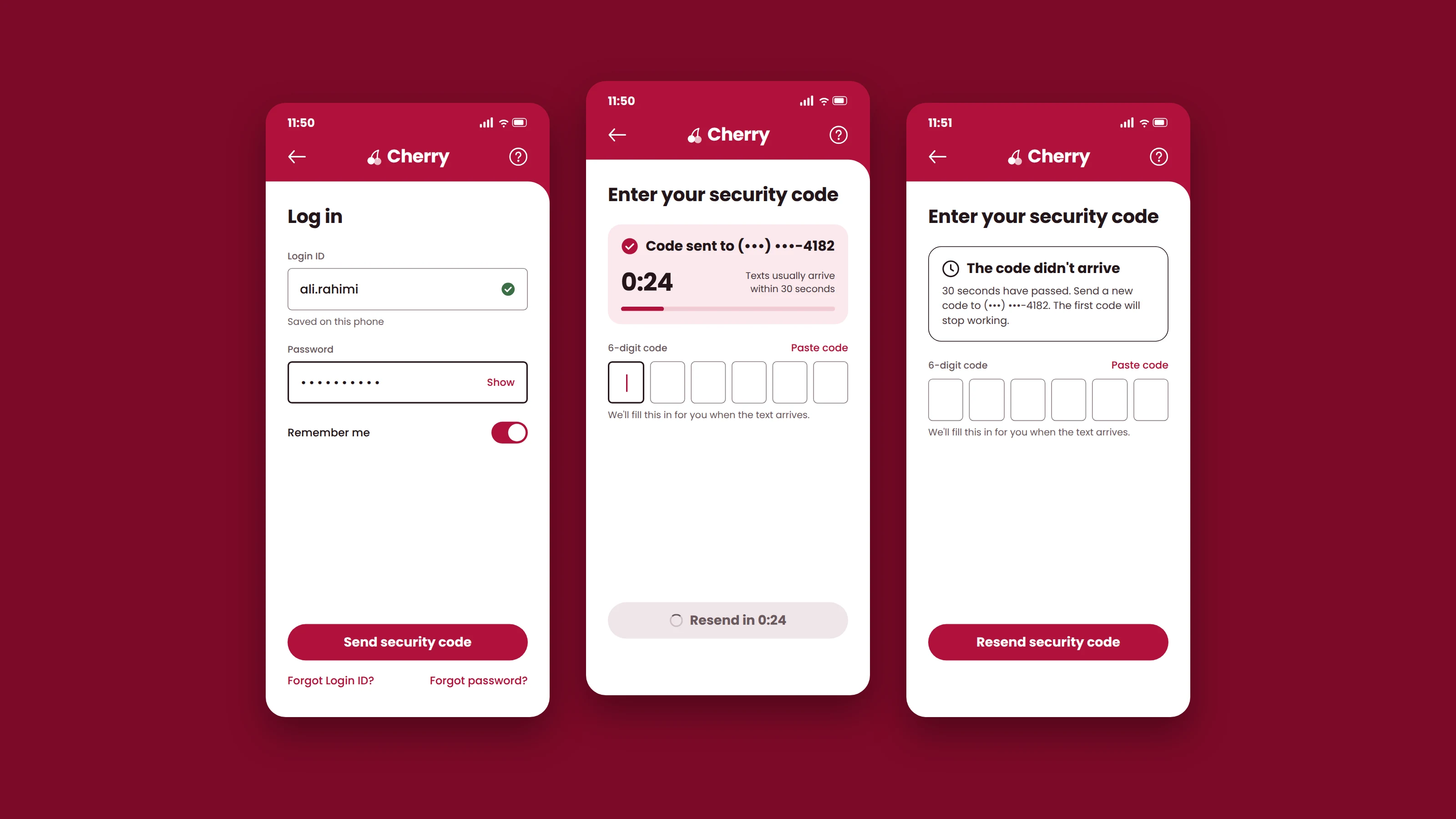
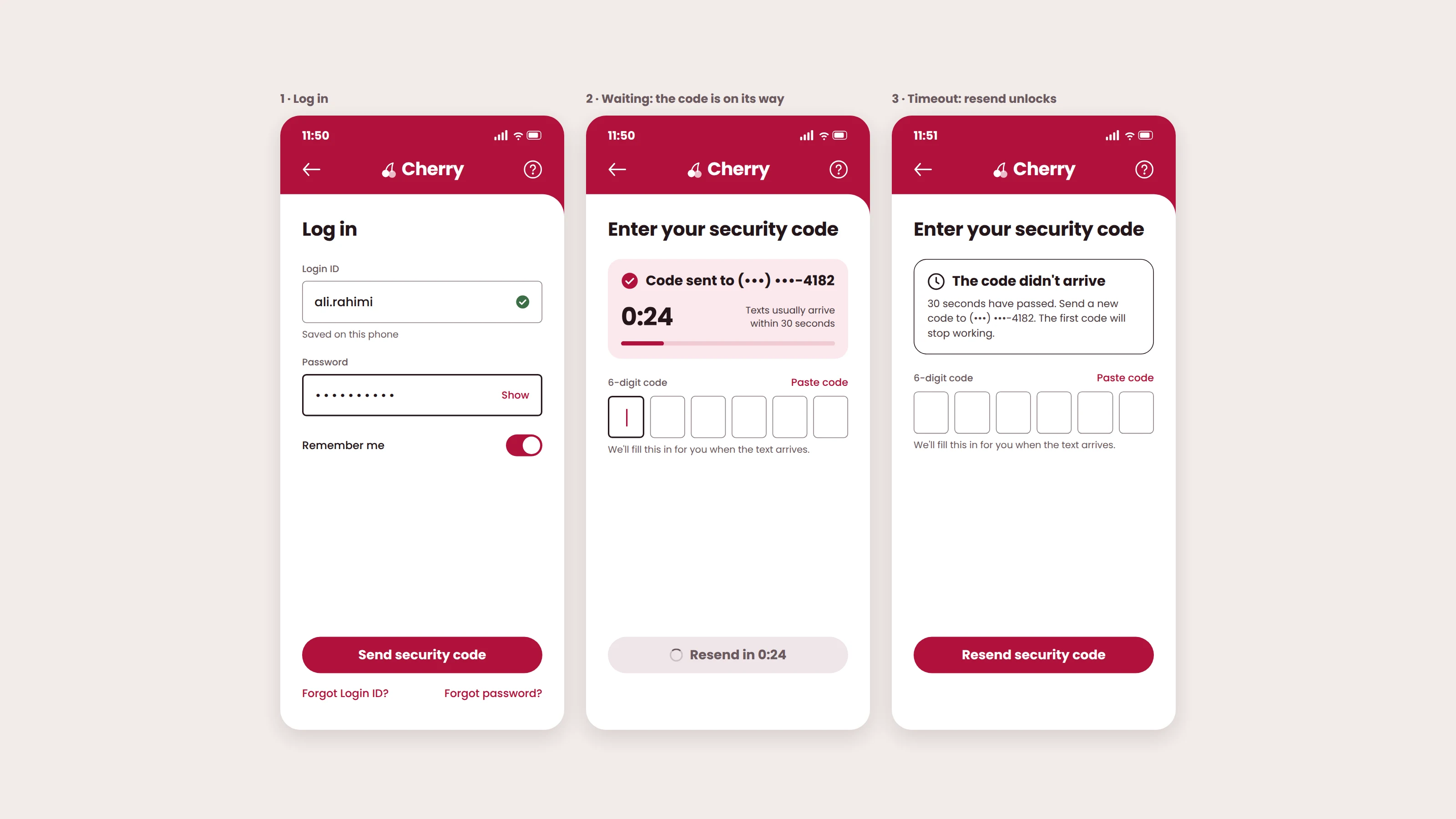
The challenge
Redesign the security code step of a banking app login. Users say they tap resend several times before a code arrives. Cherry is a made-up bank that I used for this exercise.
Diagnosis before design
The complaint is that the code does not arrive on the first try. I separated what the user sees from what he concludes. He sees that he tapped, no code came, he tapped again several times, and then a code came. He concludes that the first one was never sent. From his side of the screen he has no way to know which tap produced the code that arrived.
That left two places where the problem could be.
- Between his tap and our handoff to the SMS provider. Nothing on screen tells him a request is in progress, so he taps again.
- Between the handoff and his phone. The carrier is slow or drops the message. No screen change fixes that.
On a real team I would check the send logs first: one message per tap, and whether each was delivered or failed. In this exercise I had no logs, so I stated my assumption and designed for it.
My assumption: the text is delivered, but each extra tap sends a new code and cancels the previous one. His own tapping is part of the failure, and he taps because the screen gives him no feedback.
A waiting state for Cherry clients who can't log in, to end the repeated tapping caused by no feedback between the tap and the handoff.
I deliberately left the carrier delivery problem to the SMS provider team.