IBM watsonx Design Proposal

IBM watsonx: Prompt Compare

How should an enterprise AI workspace support iterative experimentation without forcing users to destroy previous state?

Scope UI Concept Specs
System Carbon v11
IBM watsonx Prompt Lab Compare View Concept

The Core Challenge

IBM watsonx Prompt Lab is where teams experiment with generative AI models by writing prompts, tweaking parameters, and evaluating outputs before deployment. But right now, the workspace only supports one prompt, one model, and one pane at a time.

If a user wants to compare two phrasings or two models, they must run one variation, copy the output elsewhere, overwrite their prompt, and run the next. This creates continuous friction during prompt engineering.

Discovery: Identifying the Workflow Friction

This friction point was identified through hands-on workflow analysis of prompt engineering environments. Generative AI iteration is not a linear task, it is inherently comparative. Forcing users to overwrite active prompts or switch context to compare two outputs is a clear usability bottleneck for technical teams.
Exploring Alternatives

Before deciding on a side-by-side canvas, I evaluated three structural patterns for managing iteration states within IBM Carbon v11:

Option A

Version History Drawer

Concept: A slide-out panel that logs past prompt runs and outputs automatically.
Trade-off: Good for audit trails, but poor for live comparison. Users still have to click back and forth between history items to evaluate differences line by line.
Option B

Multi-Tab Workspace

Concept: Standard Carbon workspace tabs where each tab holds an independent prompt and model setup.
Trade-off: Preserves state cleanly, but keeps outputs hidden behind tab switches. Users cannot visually compare response quality or token latency at a single glance.

Chosen Decision: Responsive Canvas Grid

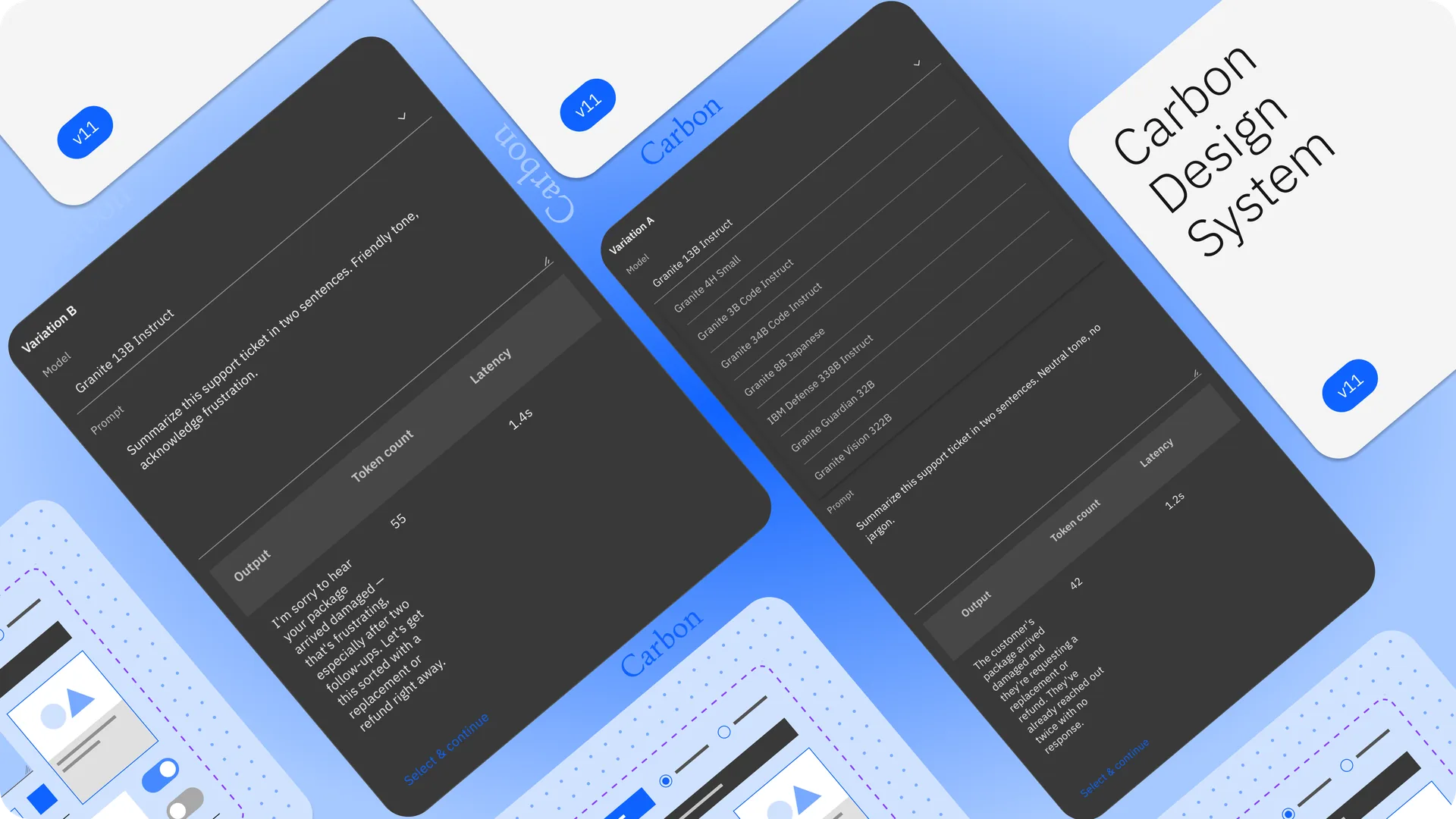
I chose a responsive canvas grid using Carbon's 16-column layout system. It splits the editor into 2 or 3 synchronous panes. It uses more screen space, but it enables direct visual comparison and concurrent execution, which solves the core problem directly.

Chosen Solution & Design System Rules

The proposed compare framework builds directly on existing Carbon v11 components. Composing natively within enterprise rules shows how to scale patterns across shared design systems.

UX Mechanic

Compare Toggle

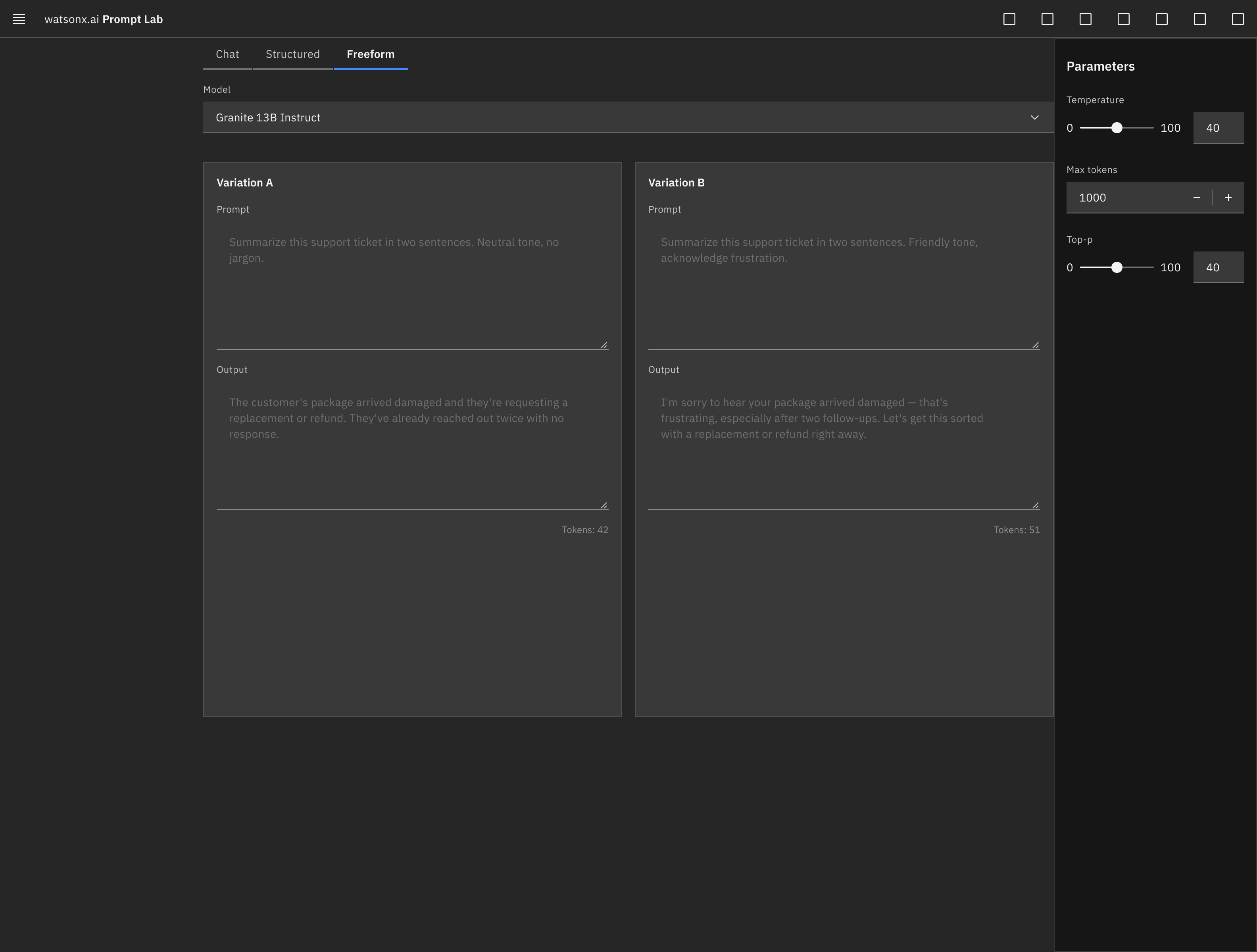
Switches the single editor into 2 or 3 side-by-side panes, managed by Carbon's responsive layout grid.

Primary Action

Run All Execution

A single Carbon Primary Button triggers every pane at once. Global parameters like temperature stay locked, ensuring fair comparisons.

View High-Fidelity Mockup & System Specs
IBM watsonx Prompt Lab Compare View Mockup

Output Data Tables

Each pane's output, token count, and latency sit inside a Carbon Data Table directly below its prompt for instant evaluation.

Per-Pane Structure

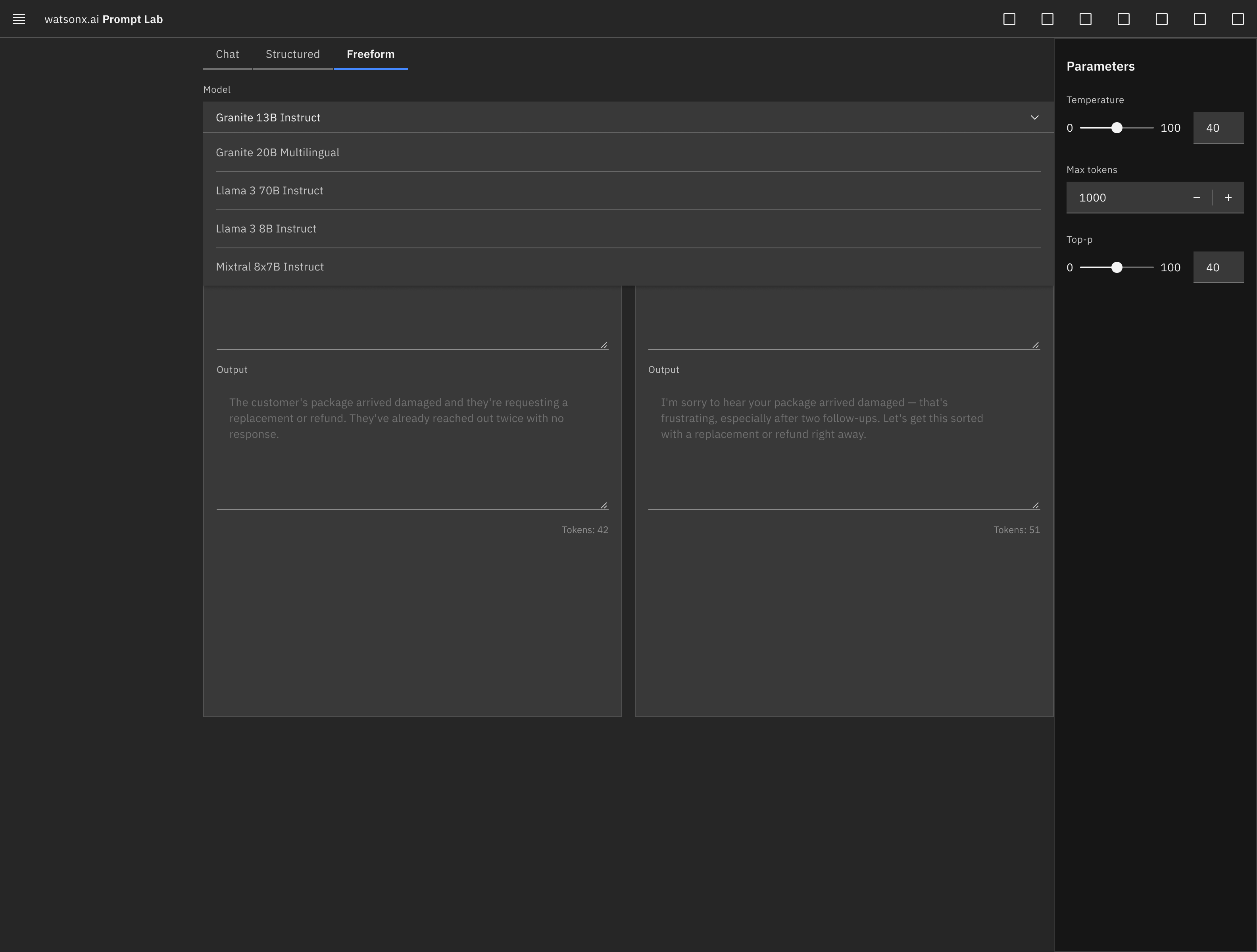
Each pane contains its own prompt editor and filterable model Dropdown, allowing users to test different foundational models side-by-side.

Select & Continue

Users select the winning variation to collapse back into single-editor mode with the victorious prompt and model parameters loaded.

System Alignment & Enterprise Value

Enterprise product work requires strict alignment with established component libraries rather than introducing custom UI patterns. Every component in this proposal is an unmodified Carbon instance.

Layout

Carbon Grid System

Handles responsive 2-column or 3-column split layouts across desktop screen sizes without breaking editor proportions.

Navigation

Workspace Pivots

Uses Carbon Tabs to shift viewports between single-pane editing and multi-pane comparison modes.

Component Deep Dive: Pickers & UI Logic
IBM watsonx Prompt Lab Dropdown Component

The Dropdown component functions as the model selector inside each prompt pane, letting users swap models directly without leaving the workspace.

Data Table

Formats inline output text, execution latency, and token consumption metrics cleanly.

Side Panel

Slides open to adjust shared temperature and top-p configurations across all active panes simultaneously.

Working inside an existing design system without breaking its rules requires technical discipline. It demonstrates the exact system-level thinking needed for multi-surface enterprise software.